



 GUITAR |
 KEYBOARD |
 STUDIO |
 PA |
PA |
 LIGHT |
 DEEJAY |
 MIC |
MIC |


The complete workspace
for your sheet music
Import your files, sort them, annotate them, practise them and play them. MusicXML, PDF, ChordPro, MP3 or MIDI: OPUS Reader brings together your library and every tool it needs, in a single browser page.
From the file you download to the piece you perform
A viewer displays a file. OPUS Reader follows your scores through their whole life: you gather them, you file them, you work on them, and you find them again on stage as well as in the practice room.
A real file manager, built into the reader
Your scores are not a list of links: they are files you sort, rename, group and find again, whatever their format.
Far more than a score shown on screen
Playback, practice, accompaniment, annotation, archiving: OPUS Reader gathers into a single page everything that usually takes several separate programs.

Hear the score and follow it
The engraving is redrawn on screen by Verovio and the cursor follows the music note by note. A4 page, horizontal scrolling or a continuous ribbon: pick the layout that suits you.

The score listens to you play
Plug in a MIDI piano or simply use the microphone: OPUS waits for the right note in sight-reading mode, or follows you without stopping in flow mode.

On-screen keyboard and falling notes
The keyboard shows the keys to play, the fingering and which hand is involved. Falling-note mode makes learning easier, with a keyboard scaled from 25 to 88 keys to match your instrument.

Your own library
Drop in your own files, sort them into categories and tags, build setlists. Everything stays available offline and follows you from one device to the next.

Your PDFs, as if on a music stand
Annotations, cropping, jump points for repeats, full-screen concert mode and bookmarks: the reader is built to be used while you are playing.

Lyrics and chords
ChordPro charts appear with guitar and piano chord diagrams, transpose in one click and scroll by themselves at the tempo you choose.

Hands free
The Bluetooth and wired pedals on the market are recognised as a standard keyboard: you turn the page with your foot, without letting go of your instrument.

Turn a score into a video
Export a scrolling score ribbon, locked to the sound and ready to publish. Themes, visual effects, staff highlighting and a transparent background for your own edits.
The tools of everyday practice
Slow the tempo down, loop a hard passage with a gradual speed-up, mute a part so you can play it yourself, transpose for your instrument, keep the metronome at hand.
Play along with a real recording
A score can be tied to an MP3 or to a YouTube video. It then scrolls at the performer's exact pace, rallentandos and fermatas included.
- Backing audio synced bar by bar
- A YouTube video locked to the score, to learn by ear and by eye
- The same on PDFs, thanks to the bar map
- Adjustable speed without changing the pitch
Video tutorials: sync your scores
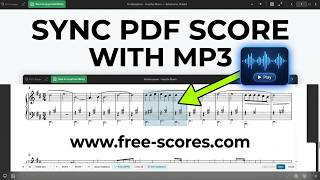 PDF + MP3
Lock a recording to a PDF score, bar by bar.
PDF + MP3
Lock a recording to a PDF score, bar by bar.
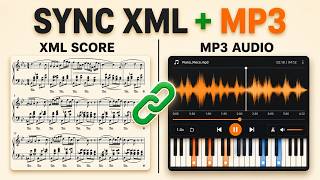 XML + MP3
Align an audio track with your interactive score.
XML + MP3
Align an audio track with your interactive score.
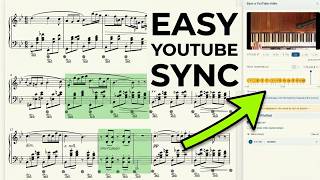 XML + YouTube
Pair a YouTube video with the score.
XML + YouTube
Pair a YouTube video with the score.
Tools to keep you improving
Free-scores.com members publish their scores in MusicXML, pair them with their own recordings and sync them bar by bar. Your works then become interactive for every visitor.
OPUS Reader in your pocket
Find your library, your annotations and your setlists again on your Android phone or tablet. The app brings together OPUS Reader, the metronome, NoteQuest, NoteBlitz, RunChords and the free-scores.com catalogue.
- Your scores available offline, in the practice room and on stage
- The music stand moves from computer to tablet with nothing to reinstall
- Free, with the same tools as on the computer

On iPhone and iPad, add OPUS Reader to your home screen from Safari: you get the very same app, with no store involved.

Before you start
Is it free?
Yes. Playback, practice mode, loops, transposition, annotations, setlists, MP3 and YouTube play-along, the games: all of it is free, with no limit on the number of scores. Only a few advanced features need a Premium account:
- exporting a score as a PDF
- syncing your library to our servers beyond 3 files: you can keep as many as you like on your account, they are simply not synced
- audio recordings beyond the first 3
- video export on a transparent background, meant for editing suites: the other video exports stay free
- converting a PDF into an XML score
- in the PDF reader, looping and slowing down on a PDF synced to audio
Do I need to install anything?
No. OPUS Reader runs in the browser, on computers as well as tablets and phones. You can still add it to your home screen to use it like an app, including with no connection.
Which files can I open?
Scores engraved in MusicXML, MXL and MEI, PDF files, ChordPro charts and MIDI files. You can open a score from the Free-scores.com catalogue or drop in your own files.
Do I need a MIDI keyboard?
No, but it helps. With no hardware at all, the microphone is enough for the reader to follow your playing. With a MIDI piano, wired or Bluetooth, tracking gets more precise and the fingering appears on the on-screen keyboard.
Are my files uploaded to a server?
A score you open from your own device stays in your browser. Saving to our servers, useful to find your library again elsewhere, only happens if you ask for it.


 About free-scores.com